Most damage to a laptop happens on the way somewhere. It gets knocked about in a bag, put down too hard on a station platform, rained on between the car and the front door, or scratched by keys in the same pocket. A good sleeve or bag stops most of that, and the right one is also comfortable to carry every day. This guide takes the choice in the order that saves the most trouble: the laptop you have, the kind of carrier that suits it, what makes one protect better than another, how to get the size right, and what changes when it is going to work, to school or on a plane.
Start with the laptop you have
Everything else follows from the laptop itself: its size, its weight, and how often it leaves the house. A laptop that rarely goes anywhere needs little more than a sleeve to keep dust and scratches off when it is put away. One that goes to work and back every day needs proper padding and a bag that is comfortable for the whole journey. One that flies needs a bag that fits the airline's rules and lets you get the laptop out quickly at security.
Find the exact model
Screen size is the starting point, but two laptops with the same screen size can be quite different in width, depth and thickness, so it helps to know exactly which one you have. On a Mac, open the Apple menu at the top left of the screen and choose About This Mac, which shows the model name. If the Mac will not start, Apple explains that the serial number printed on the underside can be entered on its Check Coverage page to find the model. On a Windows laptop, open Settings, choose System, then About, where the model name is shown under the device name. Many laptops also have the model printed on a label underneath.
Once you know the model, look up its measurements on the maker's own specifications page. You want three numbers: the width from side to side, the depth from front to back, and the height, which is the thickness with the lid closed. Write them down in centimetres. These are the numbers that decide whether a sleeve or a bag compartment fits, and the guide to laptop sleeve sizes goes through them in detail.
Weight matters as much as size
Weight decides how far you will happily carry it. Apple lists the current 13-inch MacBook Air at 1.23 kg and the 16-inch MacBook Pro at about 2.14 kg, so a large laptop can be close to twice the weight of a small thin one before the charger goes in. Add a charger, a mouse and some cables and the difference grows. If you will carry a heavy laptop on long walks, that is a good reason to choose a backpack with two padded straps rather than a bag that hangs from one shoulder.
What else travels with it
Think about what goes in the bag besides the laptop. The charger is the obvious one, and many people also carry a mouse, a USB-C hub, a power bank, earphones, a notebook, a water bottle and lunch. A sleeve holds only the laptop, with perhaps a slim pocket for a charger. A bag needs room for everything else, ideally in separate pockets so the charger and cables are not pressing on the lid. If you carry a lot of small things, a tech pouch keeps them together and makes it easy to move them from one bag to another without leaving the charger behind.
Sleeve, case or bag: what each is for
There are three broad ways to carry and protect a laptop, and many people end up using two of them together: a sleeve inside a bag, or a shell on the laptop with a sleeve over it.
Sleeves
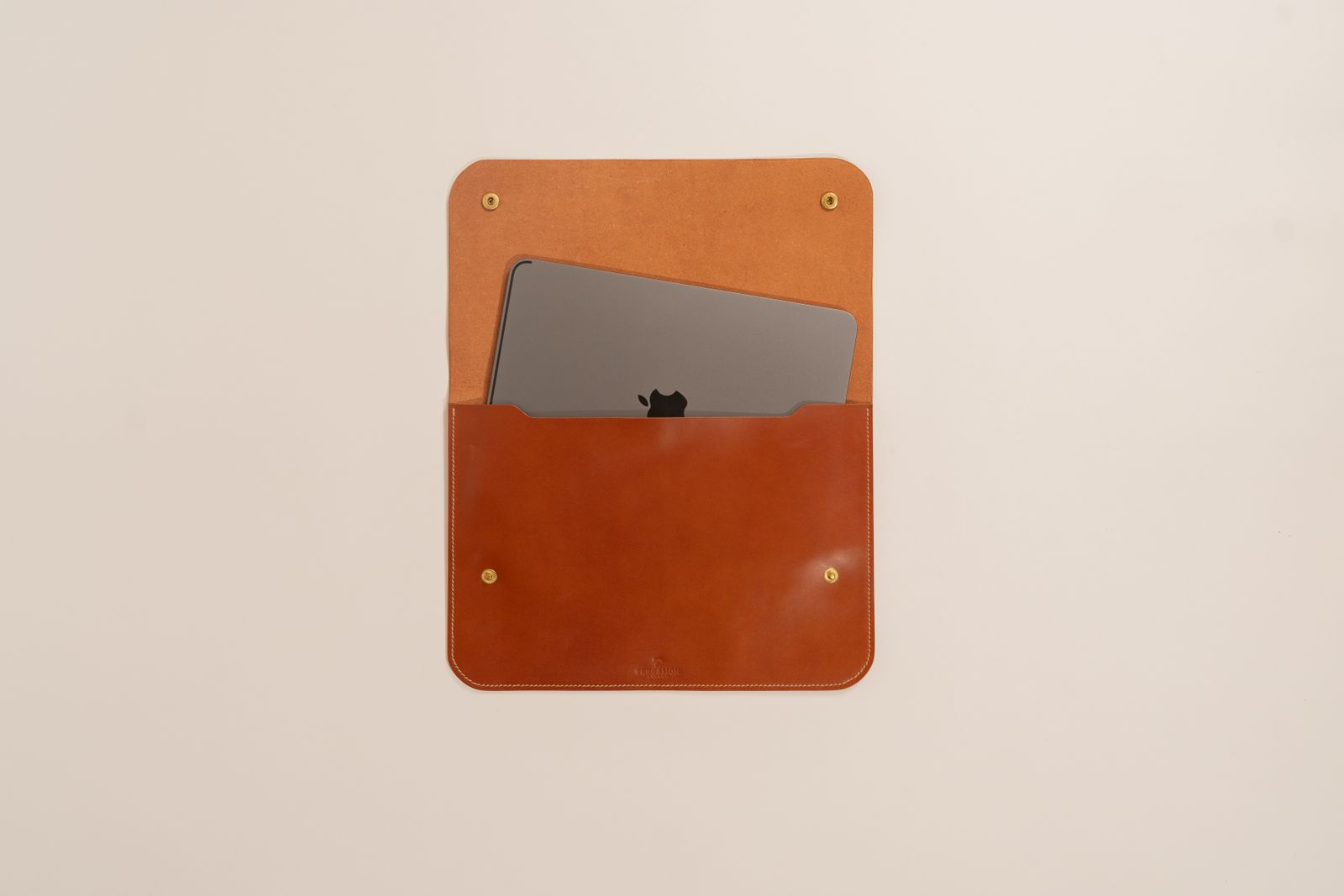
A sleeve is a close-fitting padded cover that the laptop slides into, closed with a zip, a flap or a magnetic catch. It adds very little bulk, so it can go inside a bag you already own: a work bag, a rucksack, a tote or a suitcase. Its job is to stop scratches and to soften the knocks a laptop gets inside another bag. Laptop sleeves are sold by screen size, and many have a slim front pocket for a charger or a few cables. Some have a carry handle, so they can be used on their own for a short trip between rooms or to a meeting.
A sleeve is the right choice if you already have a bag you like, if you want to protect the laptop when it sits on a shelf or in a drawer, or if you want the lightest possible way to carry it from desk to meeting room. It is not much protection on its own against a hard drop or a downpour, because most sleeves are thin and are not made to be waterproof.
Hard-shell cases
A hard-shell case is a pair of clip-on plastic halves that fit the lid and the base of one particular laptop model and stay on while you use it. They are most common for MacBooks, because the shapes are well known and change only every few years: see MacBook hard-shell cases. A shell guards the finish from scratches and scuffs, protects the edges from the small dents an aluminium corner can pick up, and lets you change the colour. It adds very little padding, so a laptop in a shell still benefits from a sleeve or a padded bag when it travels.
A shell has to be made for your exact model and year, because the openings for ports, feet and vents move from one model to the next. Check that the listing names your model, and when it arrives make sure every port and vent is left clear. Take it off now and then to clean out any grit that has worked its way inside, because grit trapped between a shell and the laptop can mark the very finish the shell is there to protect.
Bags
A laptop bag is a full bag with a padded compartment for the laptop and room for everything else. Backpacks, messenger and shoulder bags, briefcases, wheeled bags and waterproof bags all come in versions made for a laptop. A bag is what you need if the laptop goes out every day with other things. In short, a backpack suits walking, cycling and heavier loads; a messenger bag suits shorter journeys and quick access; a briefcase suits the office; a wheeled bag suits long journeys over smooth floors; and a waterproof bag suits anyone who spends their journey outdoors. The guide to laptop backpacks, messenger bags and briefcases compared goes through each kind properly.
Using two together
A sleeve inside a bag is a sensible pairing. The bag carries everything, the sleeve gives the laptop a second layer, and you can take the laptop out in its sleeve and leave the bag under the desk. If your bag already has a well-padded compartment, a sleeve is a nice extra rather than a need. If the compartment is only a thin divider, a sleeve makes a real difference. Before you buy both, check that the sleeve fits into the bag's compartment: a thick padded sleeve may not go into a compartment sized for the laptop alone.
Padding, zips and water resistance
Two sleeves or bags can look much the same in a photograph and protect very differently. These are the details worth reading on any product page.
Padding
Padding is what absorbs the knock when a bag is put down hard or swung into a door frame. Look for padding on every side of the laptop, not just the front and back, because the corners and edges are where laptops usually take damage. Foam padding is the most common and thicker foam protects more, at the cost of bulk. Neoprene, the stretchy material used for wetsuits, is soft and holds the laptop snugly but is thinner than most foam. Felt looks smart and stops scratches, but cushions less. Leather and leather-look sleeves are usually lined with a soft fabric over some foam. If the material matters to you, choose it for how the laptop will be used: felt and leather suit a bag that is treated gently, foam and neoprene suit one that gets thrown about.
In a bag, the best laptop compartments are padded and raised: the bottom of the compartment sits a little above the bottom of the bag, so when the bag is put down on a hard floor the laptop does not take the jolt. Product pages may call this a suspended compartment or a false bottom. It is worth having if you put your bag down on hard floors many times a day.
Lining
A soft lining, such as fleece or a plush fabric, stops the laptop's finish being scuffed as it slides in and out. This matters most on aluminium laptops, where fine scratches show. Check that the lining has no hard seams, studs or rivets where the lid will sit.
Zips and closures
A zip that runs round two or three sides makes it easier to get the laptop in and out, and makes the sleeve more useful as a folder for papers too. Look for a fabric flap or a soft end over the zip, so the metal pull cannot rest on the laptop's lid. On a bag, two pulls on the laptop compartment let you open it from either side. A magnetic flap is quick to open and close, but leaves the edges open to dust and rain. Hook-and-loop fastening is secure but noisy, and it can snag knitted clothes.
In a bag, a laptop compartment with its own zip keeps keys, pens and coins off the lid. Some backpacks put the laptop compartment against your back and open it from the back panel, which makes it harder for anyone behind you to open in a crowd.
Water resistance
Most fabrics used for sleeves and bags will shed a light shower if they are coated or tightly woven, but water gets in through zips, seams and openings. On a product page, water-resistant or water-repellent usually means a fabric that sheds light rain for a while. Waterproof should mean that water does not get through the fabric or the closures, which in practice needs sealed or taped seams and either a roll-top closure or water-resistant zips. Sleeves are rarely sold as waterproof. If you cycle, walk a long way to work or wait at bus stops in British weather, look at waterproof laptop bags and read how the bag closes, not just what the fabric is. A rain cover that pulls over a backpack is another way of keeping the worst off.
Sizes and how to measure
The size printed on a sleeve or a bag is usually a screen size: 13-inch, 14-inch, 15.6-inch, 16-inch or 17-inch. Screen size is measured diagonally across the screen, from one corner to the opposite one, in inches, and an inch is 2.54 cm. It tells you the rough size class of the laptop, not its outside measurements. Those depend on the borders around the screen, the shape of the screen and how thick the laptop is. Apple's 13-inch MacBook Air, for example, has a screen that Apple measures as 13.6 inches, and its 14-inch MacBook Pro has one of 14.2 inches.
So the safest way to choose is by measurement:
- Look up your laptop's width, depth and thickness on the maker's specifications page, or measure it with a tape measure with the lid closed.
- Compare those numbers with the sleeve's inside measurements, if the listing gives them, not the outside ones.
- For a bag, compare them with the laptop compartment. Bags are often described as fitting laptops "up to" a screen size, which means that size class should fit, but a deep or thick laptop may still be a squeeze.
- If you use a hard-shell case, measure with the shell on.
A sleeve should be snug enough that the laptop cannot slide about inside, but not so tight that the zip strains round the corners. Stretchy materials can be closer fitting, while a firm foam sleeve needs a little more room. A bag compartment can be roomier, because the bag's own padding does the work and you may want a sleeve inside it.
The sleeves are grouped by screen size: 13-inch, 14-inch, 15.6-inch, 16-inch and 17-inch. Use the group as a starting point and the measurements to decide.
For work, school and travel
Where the laptop is going changes which features matter.
For work
Start with the journey. If you walk or cycle a good part of the way, a backpack spreads the weight across both shoulders and leaves your hands free. If you drive or take a train with short walks at each end, a messenger bag or a briefcase is easier to get things out of and looks smarter in a meeting. A sleeve with a handle is handy for carrying the laptop alone from your desk to a meeting room, and it can sit inside whichever bag you use for the journey.
Many people now carry a laptop between home and the office on some days of the week. For that, a bag with room for the charger and a separate pocket for a mouse or a small hub saves the common problem of the charger staying in the other place. A briefcase or work backpack with a strap on the back that slides over the handle of a suitcase is useful if you also travel for work.
For school, college and university
Pupils and students carry their bags a lot, often with books, a water bottle and a packed lunch alongside the laptop. A backpack with two padded straps, worn on both shoulders with the heaviest things packed closest to the back, is the comfortable way to carry that load. A bottle pocket on the outside, away from the laptop compartment, keeps leaks off the laptop. Children's laptop bags are smaller and brighter, made for school laptops and tablets; many schools hand out one particular model, so check its size before buying.
A strong base and good zips matter more on a student's bag than almost anything else, because it will be dropped, dragged and overfilled. There is more on what a student needs in the laptop kit list for students.
For travel
The Civil Aviation Authority says phones, tablets and laptops should normally be taken with you in the cabin, unless they are completely turned off and protected from damage. GOV.UK asks you to make sure electronic devices are charged before you travel, because a device that does not switch on when you are asked will not be allowed onto the aircraft. Depending on the airport's scanners, you may also be asked to take the laptop out of your bag at the security search, so a laptop compartment that opens quickly and fully saves time in the queue. Follow the instructions at your airport on the day.
Power banks have stricter rules. The CAA says power banks and spare batteries must always go with you in the cabin and never in checked luggage, because they can overheat and cause a fire. Its page also says you can take two power banks per person, that you should not charge a power bank during the flight, and that a battery showing signs of damage, overheating or swelling should not be used. Power banks above 100Wh need the airline's approval and anything above 160Wh is not allowed in passenger baggage at all. Airlines can set their own stricter rules, so check yours before you fly. If you carry a laptop power bank, a bag with a pocket you can reach easily keeps it ready for the security tray. The guide to charging a laptop on the move covers power banks in more detail.
Cabin bag sizes are set by each airline and differ between them, so check your airline's limits before choosing a large backpack or a wheeled bag to use as your cabin bag.
Heat in the bag
Apple's safety information says not to operate a MacBook on a pillow, blanket or other soft material that can block its ventilation openings, and to keep it in a well-ventilated area when it is in use or charging. A zipped bag has no ventilation at all, so a laptop should not be working inside one. Put it to sleep or shut it down before you pack it. If it ever comes out of the bag warm, check that it really did go to sleep, or shut it down fully next time.
Questions people ask
Do I need a sleeve if my bag has a laptop compartment?
Not if the compartment is well padded on all sides and has a raised bottom. A sleeve is still useful if you take the laptop out of the bag to carry it on its own, or if the compartment is only a thin divider.
Will a 15.6-inch sleeve fit a 16-inch laptop?
Sometimes, but do not count on it. Many 16-inch laptops are deeper than 15.6-inch ones because of the shape of the screen. Compare your laptop's width, depth and thickness with the sleeve's inside measurements before you buy.
Is a hard-shell case enough protection on its own?
For scratches and scuffs around the house or office, yes. For travelling, it adds very little cushioning, so use it with a padded sleeve or a bag with a padded compartment.
Can my laptop go in my checked suitcase?
The CAA says laptops should normally travel with you in the cabin, unless they are completely turned off and protected from damage. Power banks and spare batteries must never go in checked luggage. Check your airline's own rules too.
Is water-resistant the same as waterproof?
No. A water-resistant fabric sheds a light shower for a while. A waterproof bag should keep water out of the seams and the opening as well, which usually means taped seams and a roll-top or sealed zips.
Can I use a sleeve made for a different laptop of the same size?
Often, if the measurements match. Sleeves are not usually made for one model, so the width, depth and thickness are what count, not the name on the label. Shells are different: they only fit the model they are made for.
Where to go next
All the carrying options are in laptop sleeves, MacBook hard-shell cases, laptop backpacks, messenger and shoulder bags and laptop briefcases. Delivery is included in every price and tracked to your door. For the next step:
- Laptop sleeve sizes: how to measure your laptop: getting the fit right
- Laptop backpacks, messenger bags and briefcases compared: each kind of bag in detail
- Accessories for MacBook Air and MacBook Pro: shells, sleeves and more for MacBooks
- Charging a laptop on the move: power banks, car chargers and flying